Features

Every graphic in the package.

Liberty Raceworks keeps the controls practical, the visuals readable, and the output ready for browser-source production. Here is the full set of overlays, all driven by your live timing.

Core + Pro

Live timing top banner

Leader, gaps, lap/laps-to-go, class, and flag state across the top of the broadcast.

Core + Pro

Side tower

A vertical running order for the full field, built for browser-source workflows.

Pro

Starting lineup

The pre-race grid for each class, ready before cars roll out.

Pro

Running order

The live order on the board as positions change through the race.

Pro

Race results

A full results board with the winner callout for finish and post-race.

Pro

Top 5 results

A compact top-five finish board for quick recaps.

Core + Pro

Current leaders

The top running positions in a compact bar for quick on-air reference.
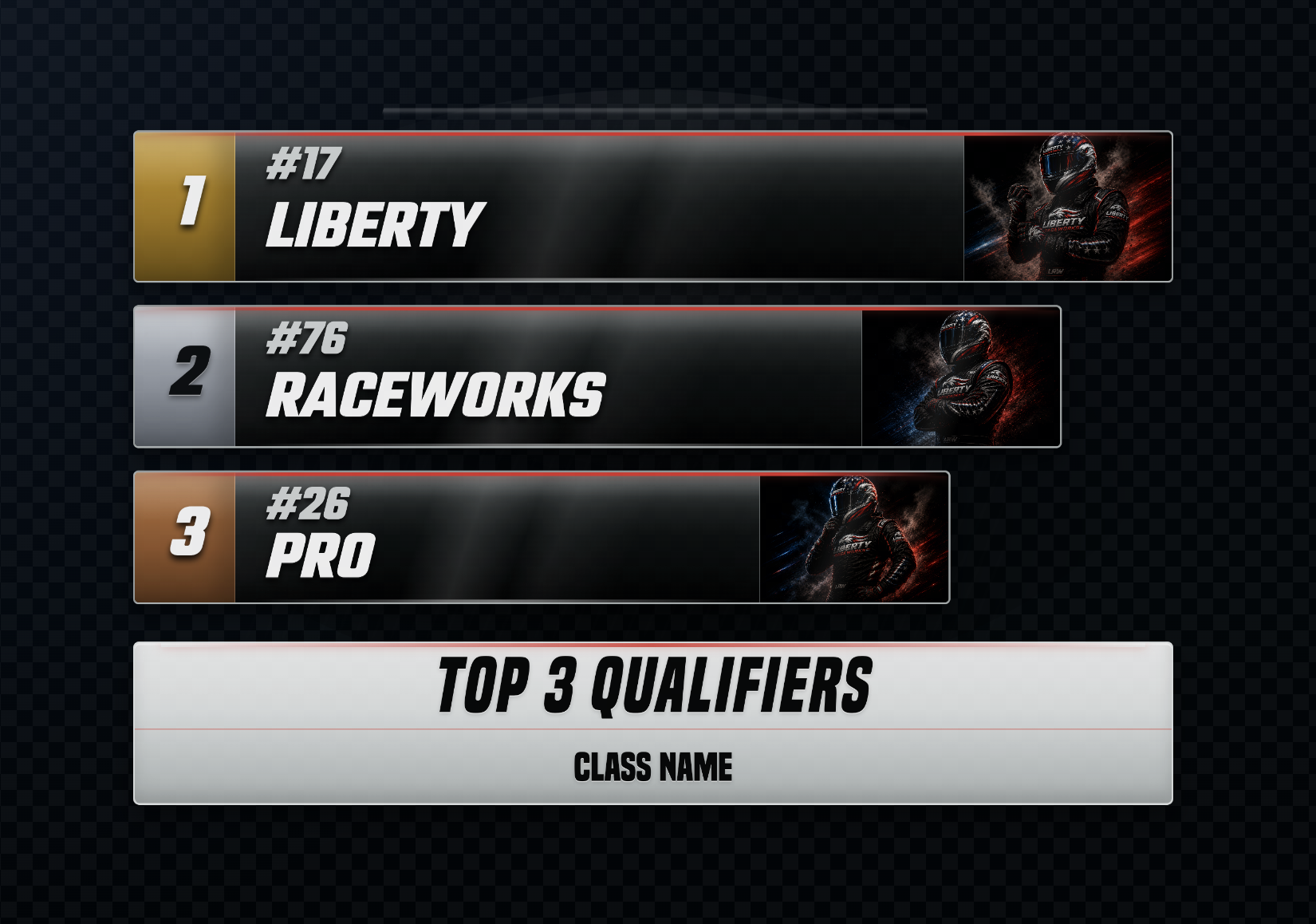
Top 3 podium race graphic overlay
Pro

Top 3 podium

A photo-forward podium for qualifiers, finishers, and feature winners.
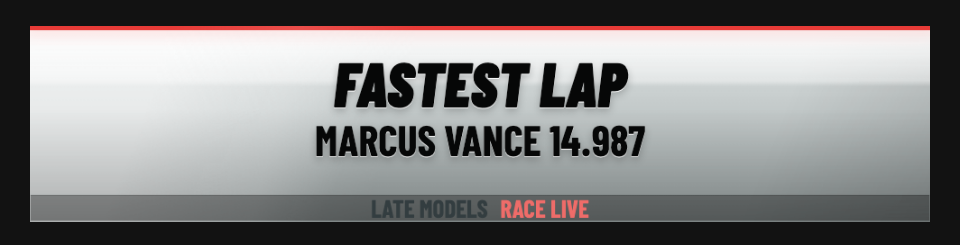
Race story spotlight race graphic overlay
Pro

Race story spotlight

Auto-generated storylines — charges, battles, and milestones.

Track weather race graphic overlay
Pro

Track weather

Live conditions for the venue, on screen for the audience.

Lower ticker race graphic overlay
Pro

Lower ticker

A scrolling ticker for sponsors, results, and announcements.
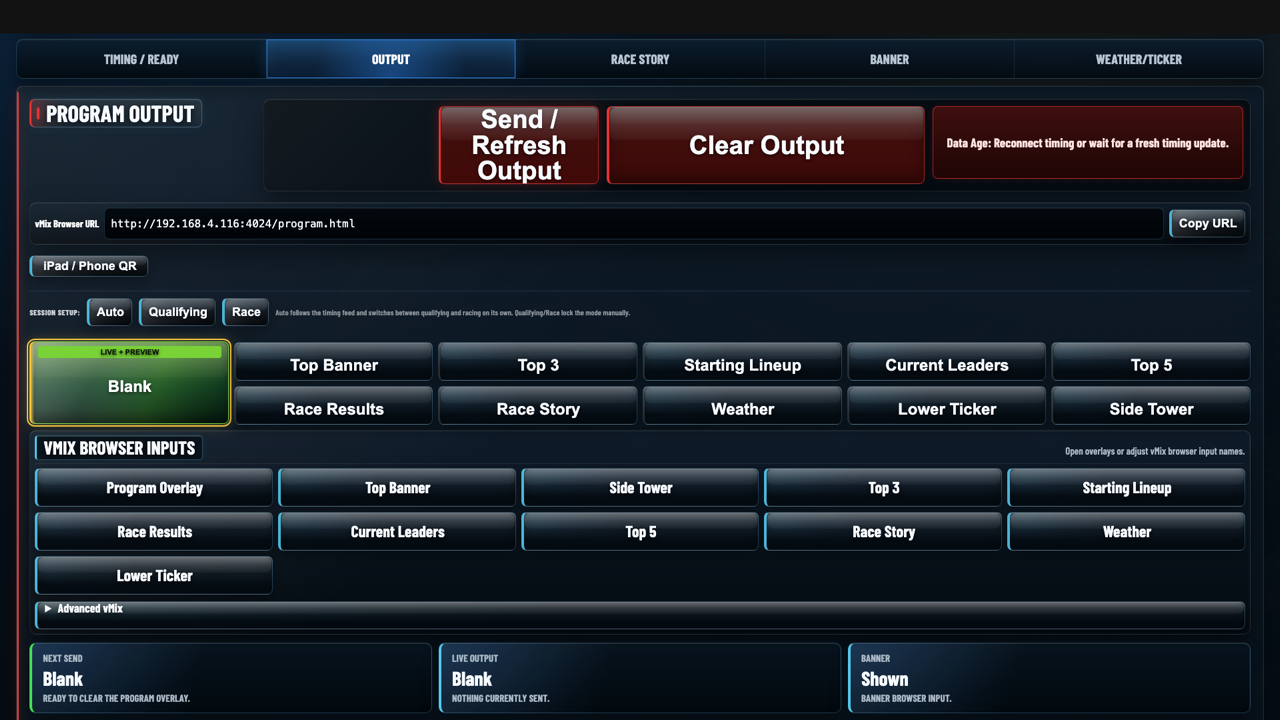
Liberty Raceworks Control Center

Control Center

Run the whole show from one local panel.

  • Choose the active output for the moment of the broadcast
  • Connect and manage Race Monitor or MyRacePass data
  • Copy the browser-source URLs for vMix, OBS, or Wirecast
  • Designed for one-person or full-crew productions

Flexible setup

Run it where it fits your crew.

Use Liberty Raceworks on the main production computer or on a dedicated graphics/control computer on the same local network. Your switcher only needs the browser-source overlay URL.

Flexible Production Setup

  • Production computer or dedicated graphics computer
  • Same local network workflow
  • Control graphics from the machine that fits your crew

Branding and Styling

  • Custom logo areas
  • Full color styling
  • Save and reapply your own looks
  • Advanced branding options in Pro

Browser-Source Output

  • Outputs browser-source graphics
  • Compatible with vMix, OBS, and Wirecast
  • Overlay URL can load from the same computer or another local-network computer

Compatibility

Built for the production tools race crews already use.

Production toolOutput typeBest use
Race MonitorLive timing inputDrives every live graphic from your track's timing feed
MyRacePassLive timing inputLive timing ticker support for MRP tracks and series
vMixBrowser sourceBest fit for Windows production rooms
OBSBrowser sourceGood for livestream crews and solo operators
WirecastBrowser sourceGood for Mac or mixed production workflows
Any browser-source switcherLocal or network URLWorks from the same computer or another computer on the same local network

See pricing

Core for timing. Pro for the full broadcast package.

Choose monthly or yearly licensing.

View pricing